Variation Swatches Tooltip
Introduction
Follow this guide to enable the variation swatches tooltip. Please know that the tooltip only works for images and colours.
Example
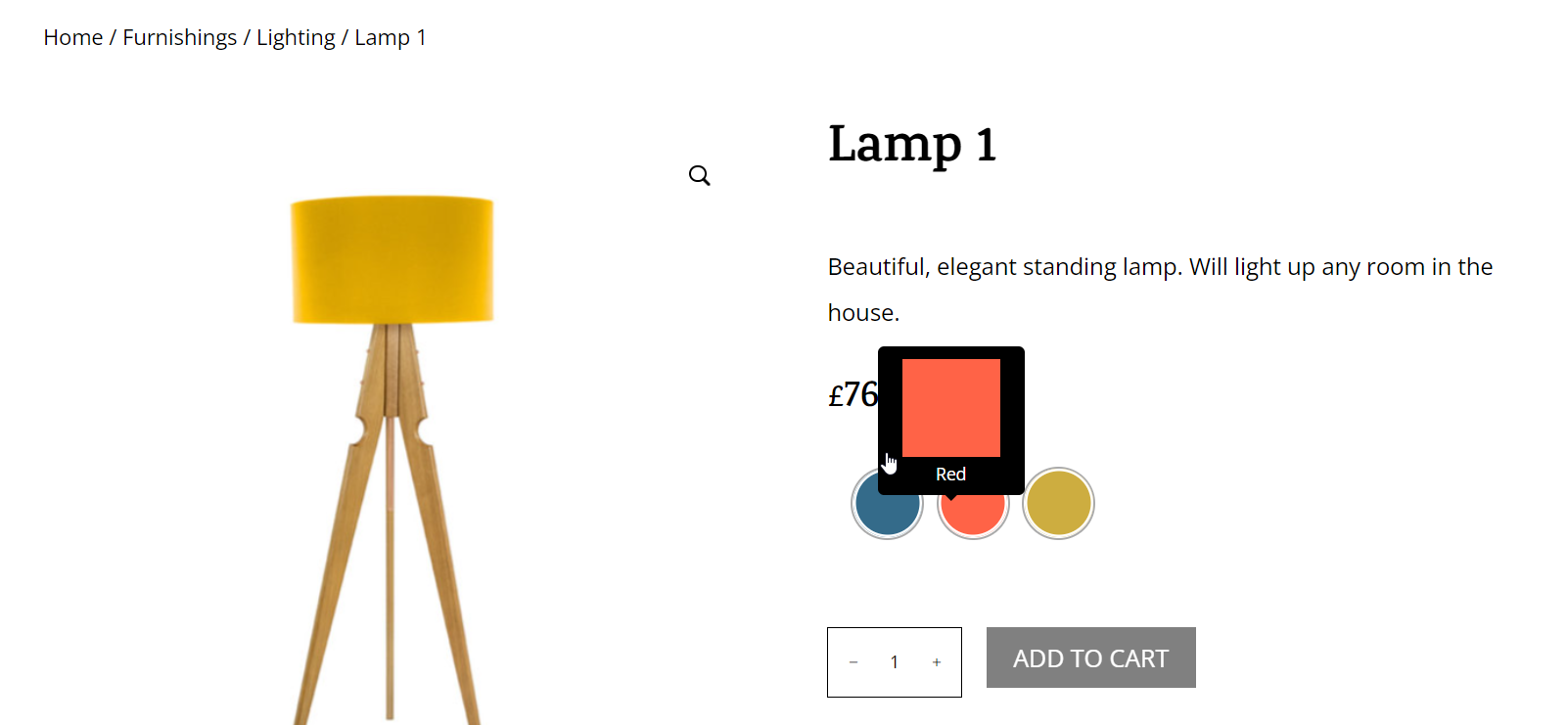
Below is an example of variation swatches tooltip. Click HERE to see variation swatches tooltip live.
Step 1: Set up Variation Swatches
Please click HERE to learn how to set up variation swatches.
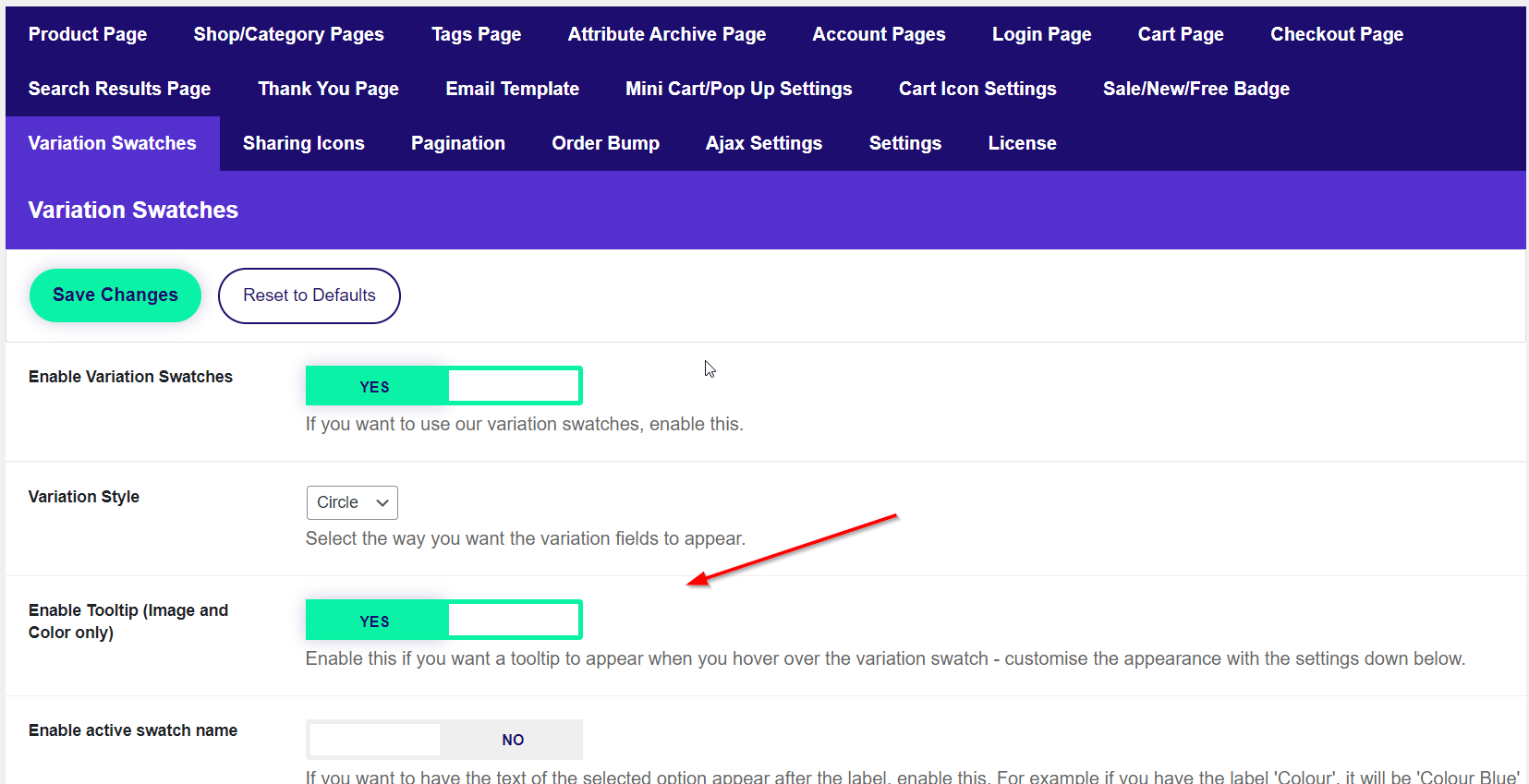
Step 2: Enable Tooltip
Head over to Divi Engine → Divi BodyCommerce → Variation swatches and enable the Tooltip.
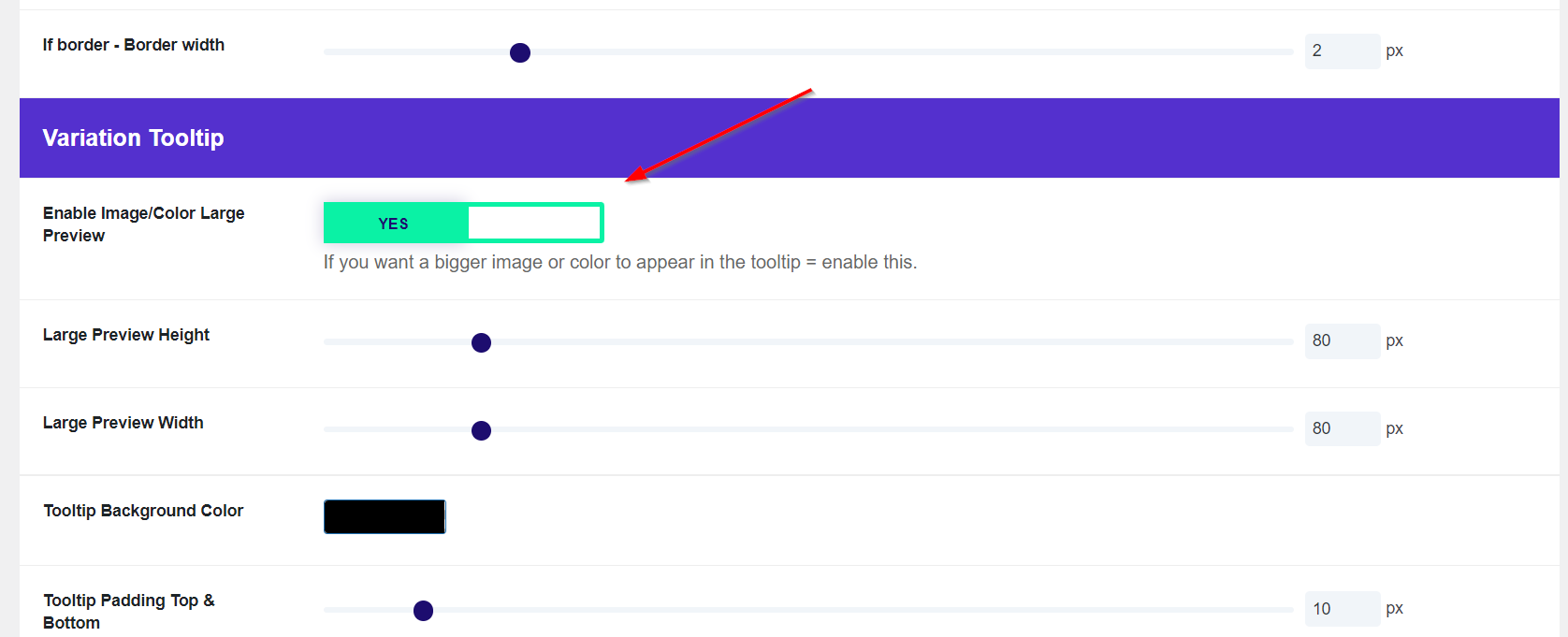
Step 3: Enable Preview
Head over to Divi Engine → Divi BodyCommerce → Variation swatches → Variation Tooltip and enable the Image/Colour Preview.