Step 11: Build The Product Page Template
Watch This Video
Introduction
Follow this information to create a Product page template to display your products.
Build A Divi Layout
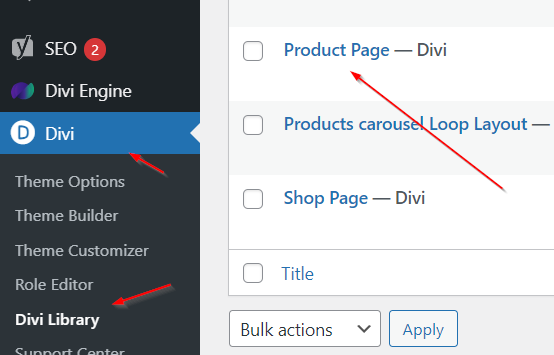
Go to Divi > Divi Library and build a product page layout.
Add Modules
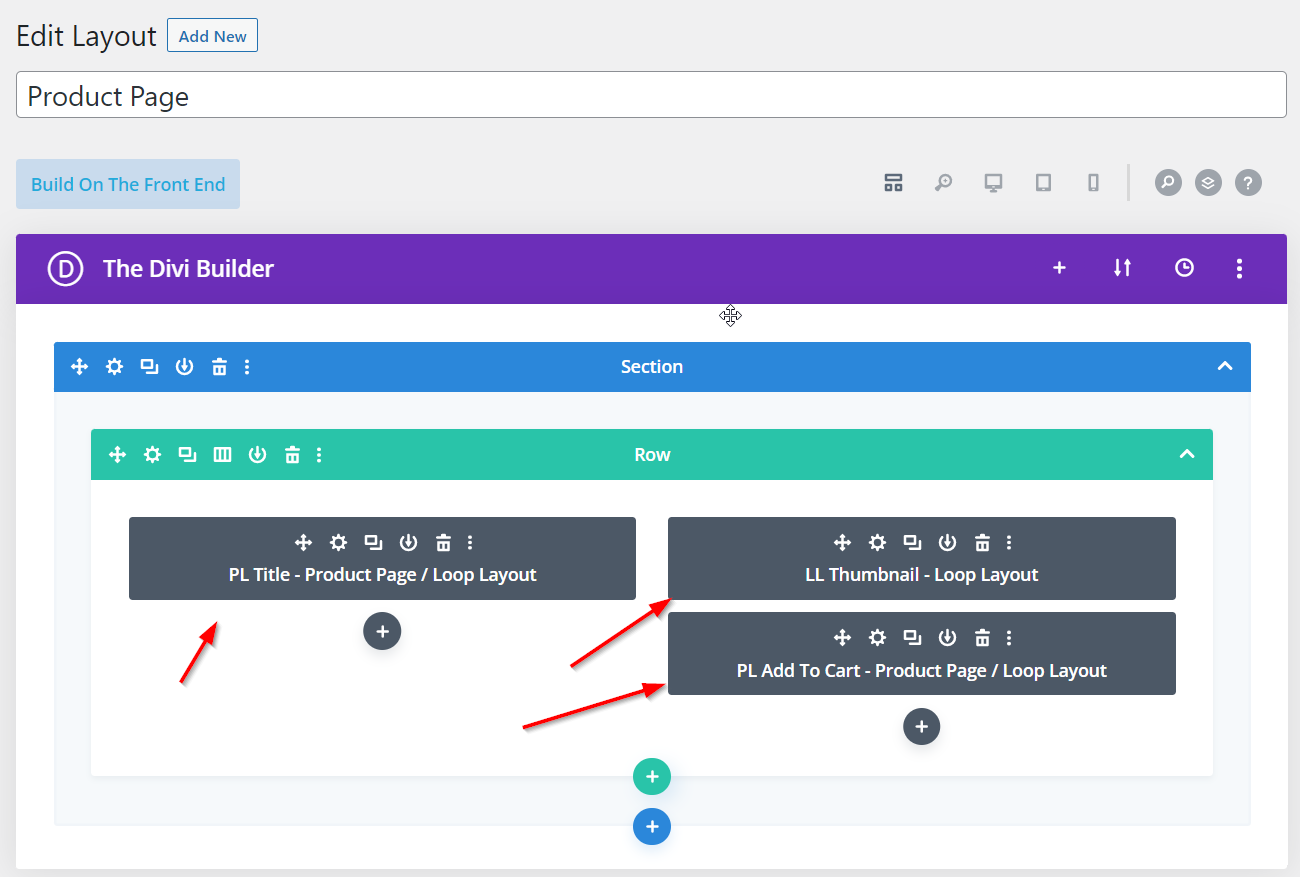
While there are many modules that you can add, start off by adding the Title, Thumbnail and Add to Cart modules. The Title module displays the product name, the Thumbnail displays the featured image and the Add to Cart enables your user to add this product to their cart.
Assign Your Layout In BodyCommerce
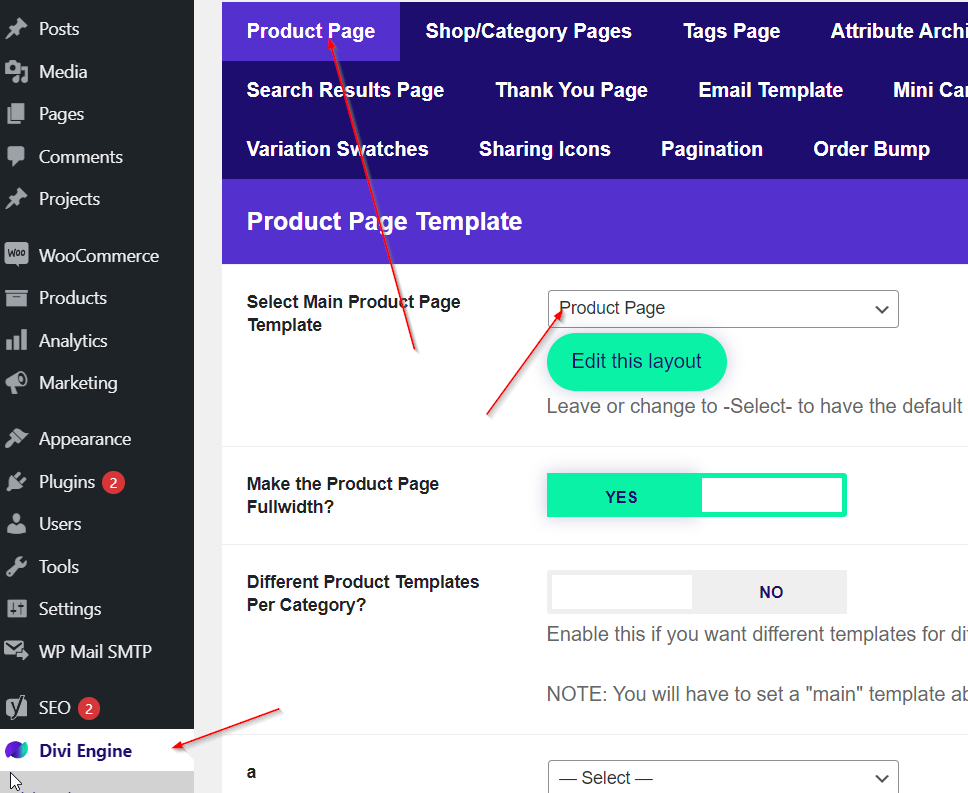
Go to Divi Engine > BodyCommerce > Product Page and select your product page layout. Now when you view your product, you will see the information that you have entered into your product in WooCommerce.