How To Set Up The Yoast Breadcrumbs Plugin
Introduction
Follow these steps to learn how to set up the Yoast Breadcrumbs plugin. Click HERE for more information.
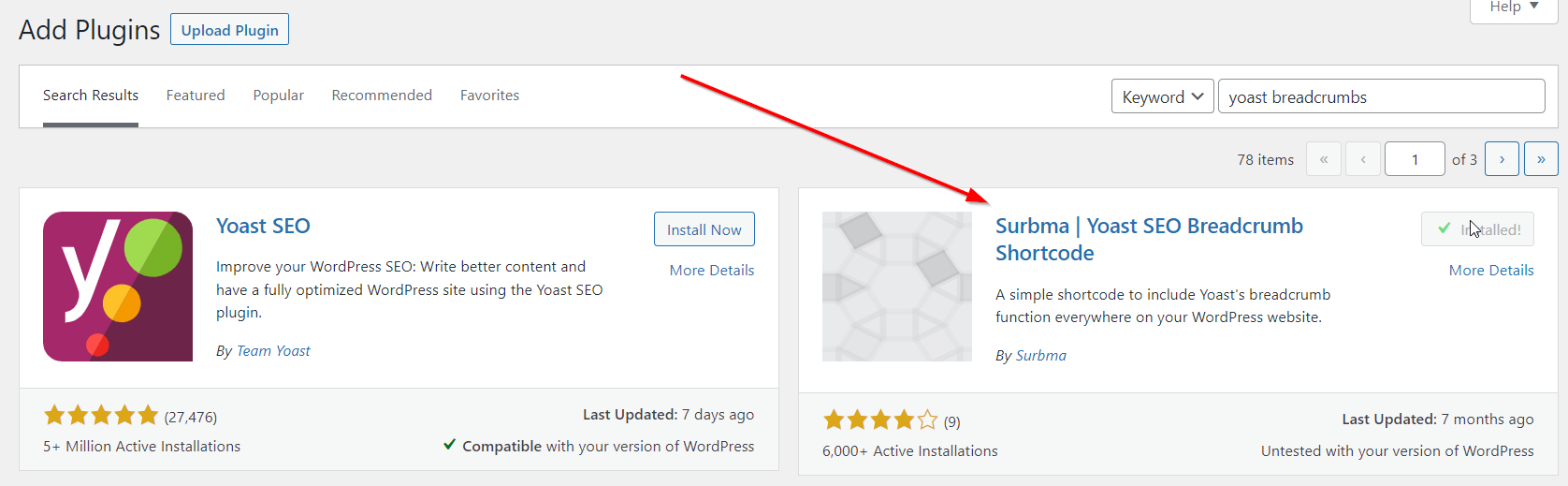
Step 1: Download The Yoast Breadcrumb Plugin
Step 2: Navigate To The Breadcumbs Tab
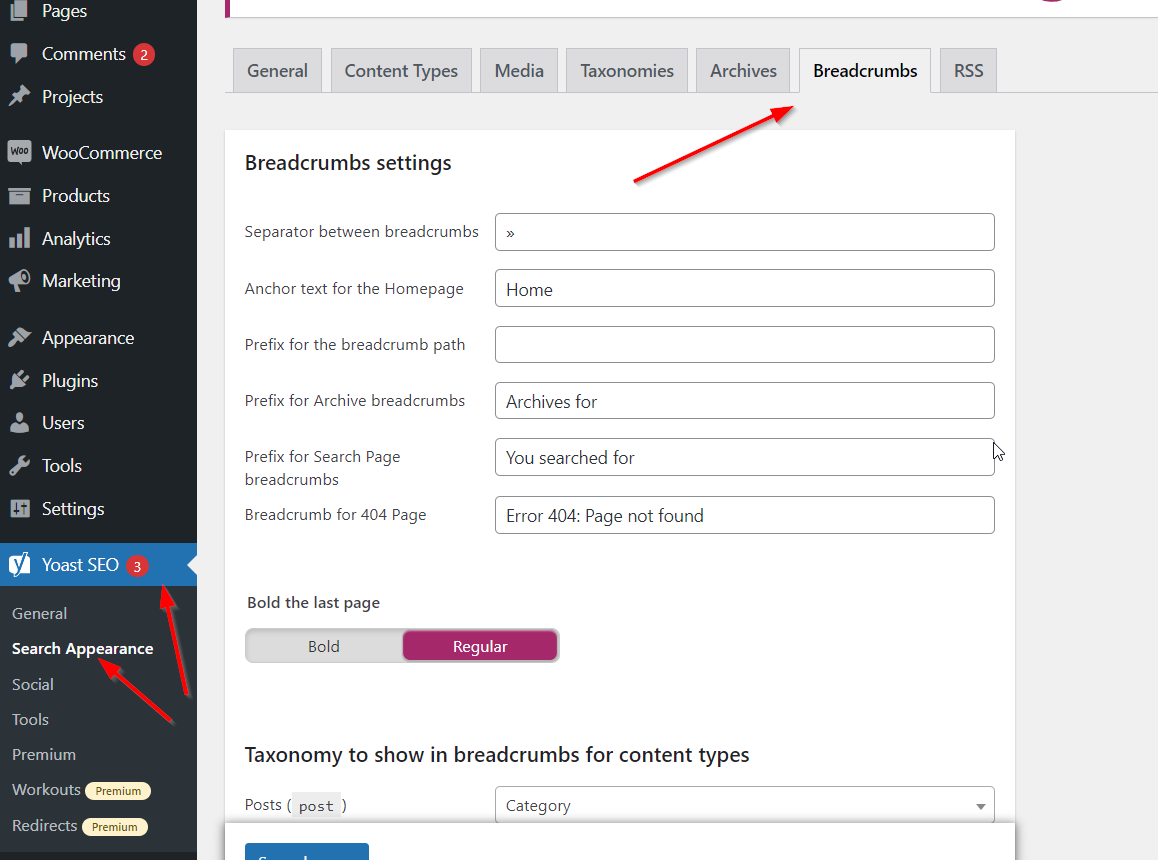
Head over to Yoast SEO (you will need to download Yoast) > Search Appearance > Breadcrumbs.
Step 3: Assign The Breadcrumbs
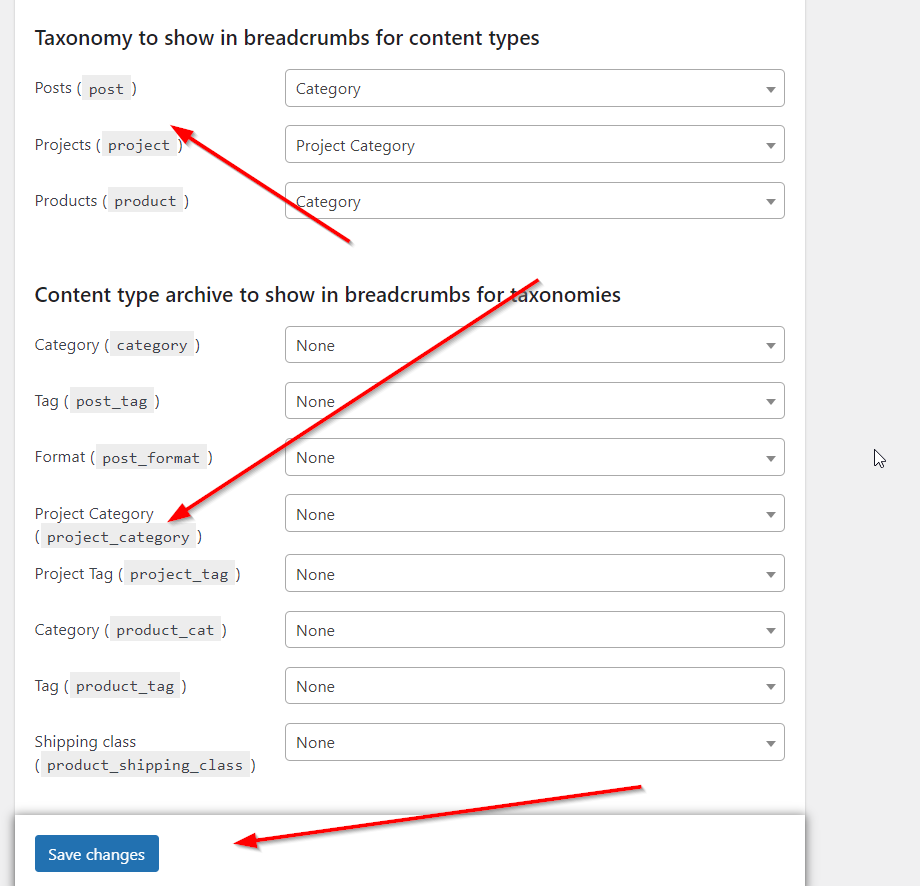
Assign breadcrumbs to the following.
- Posts.
- Products.
- Projects.
- Custom Post Type Posts.
- Tags.
- Categories.
- Taxonomies.
Step 4: Add Yoast Breadcrumbs Shortcode
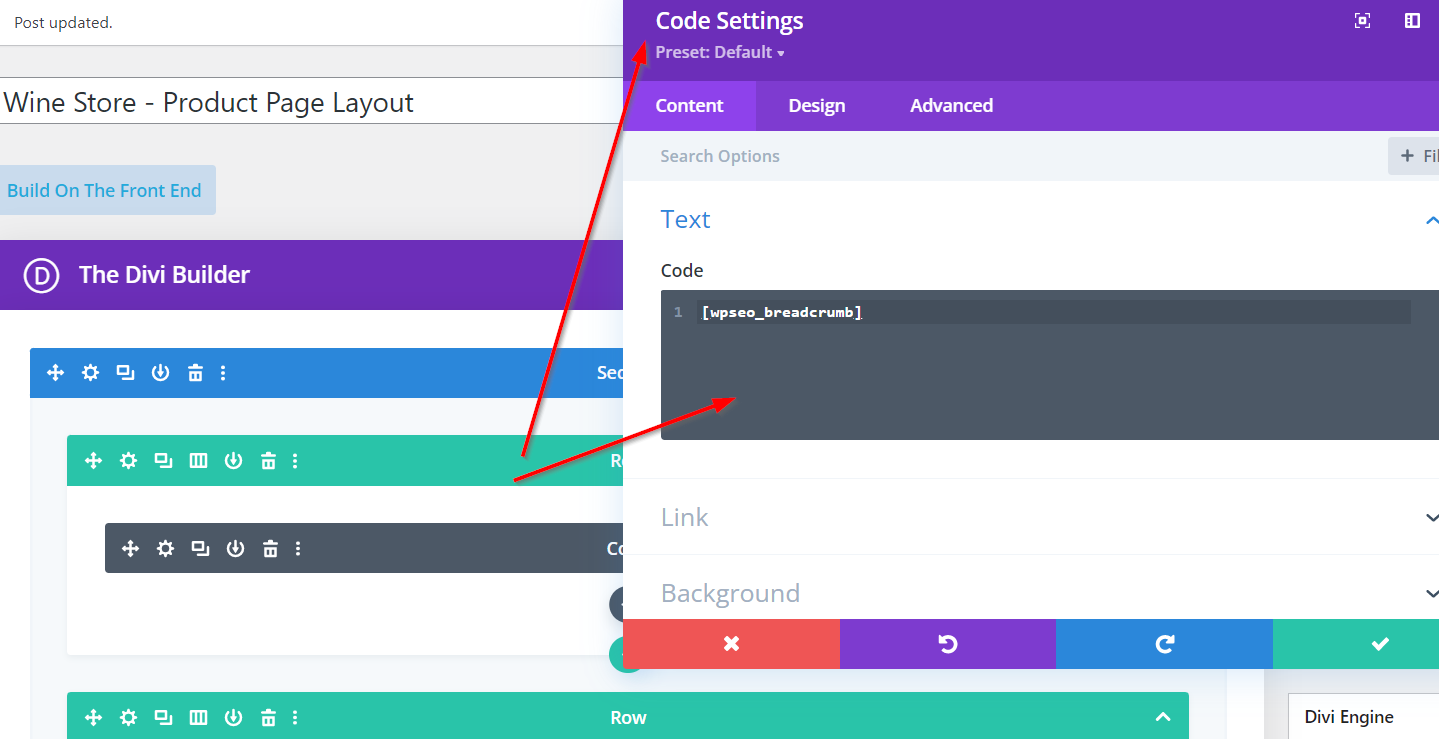
Add the Yoast Breadcrumbs shortcode [wpseo_breadcrumb] to the code module on your post, product or other pages.