AP View Order: Add & Edit Order Information?
Divi 5 equivalent
This how-to uses Divi 4 module names and screenshots. On Divi 5, use View Order.
Introduction
Follow this information to add and edit the AP View Order module. This module is an account-related module that displays one order. When a customer clicks on an order in the My Account Orders layout containing the AP Order module, it will take them through to this layout.
Step 1: Build An Account View Orders Layout
Head over to Divi > Library and create an account view orders layout by adding the AP View Order module.
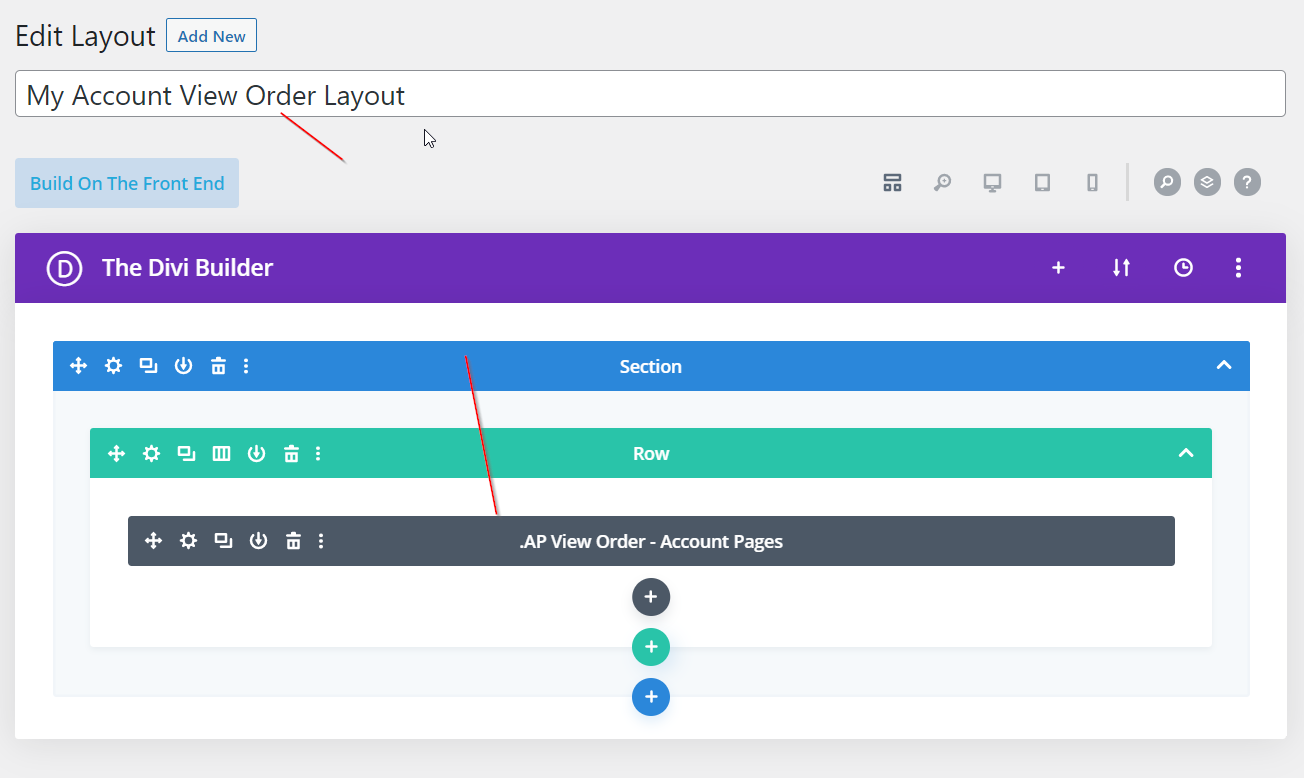
Step 2: Assign This Layout In BodyCommerce
Go through to BodyCommerce > Account Pages and assign this module in the Select Account View Order Layout.
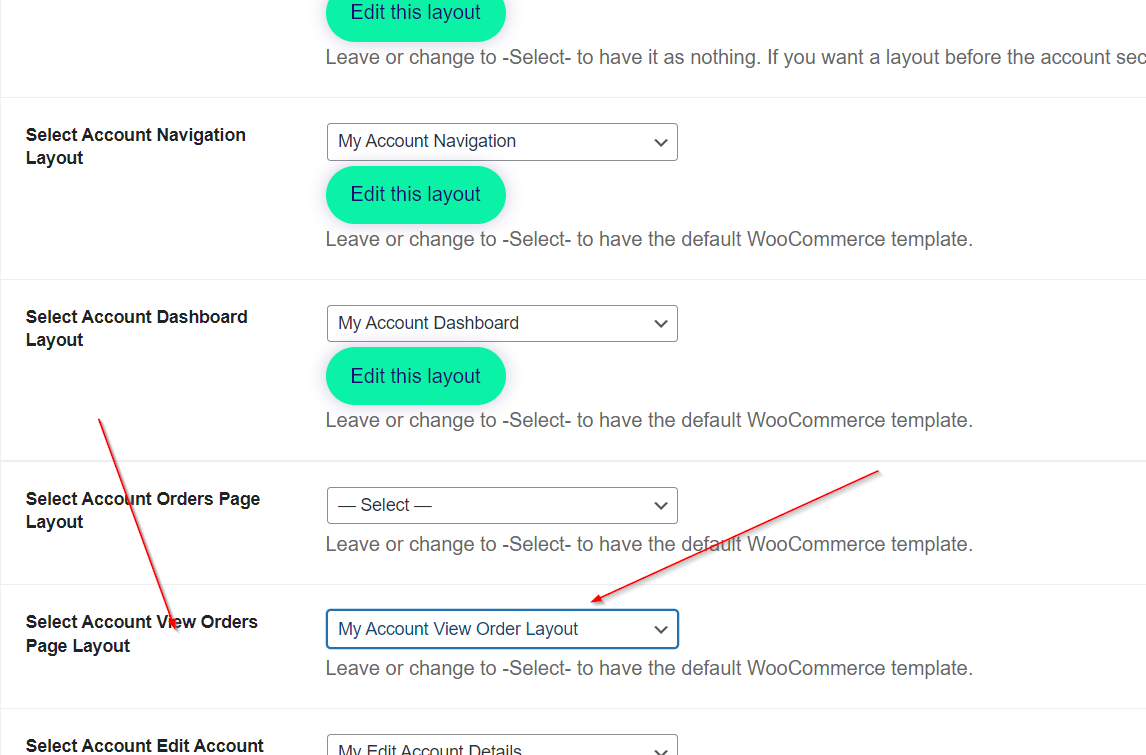
Step 3: Edit The AP View Order Module
Edit the View Order module using the settings provided.