LP Login Form: How To Add & Edit A Login Form?
Divi 5 equivalent
This how-to uses Divi 4 module names and screenshots. On Divi 5, use Login Form.
Introduction
Follow this information to add and edit the Login Form module. This module displays the login form and should be used on the login page.
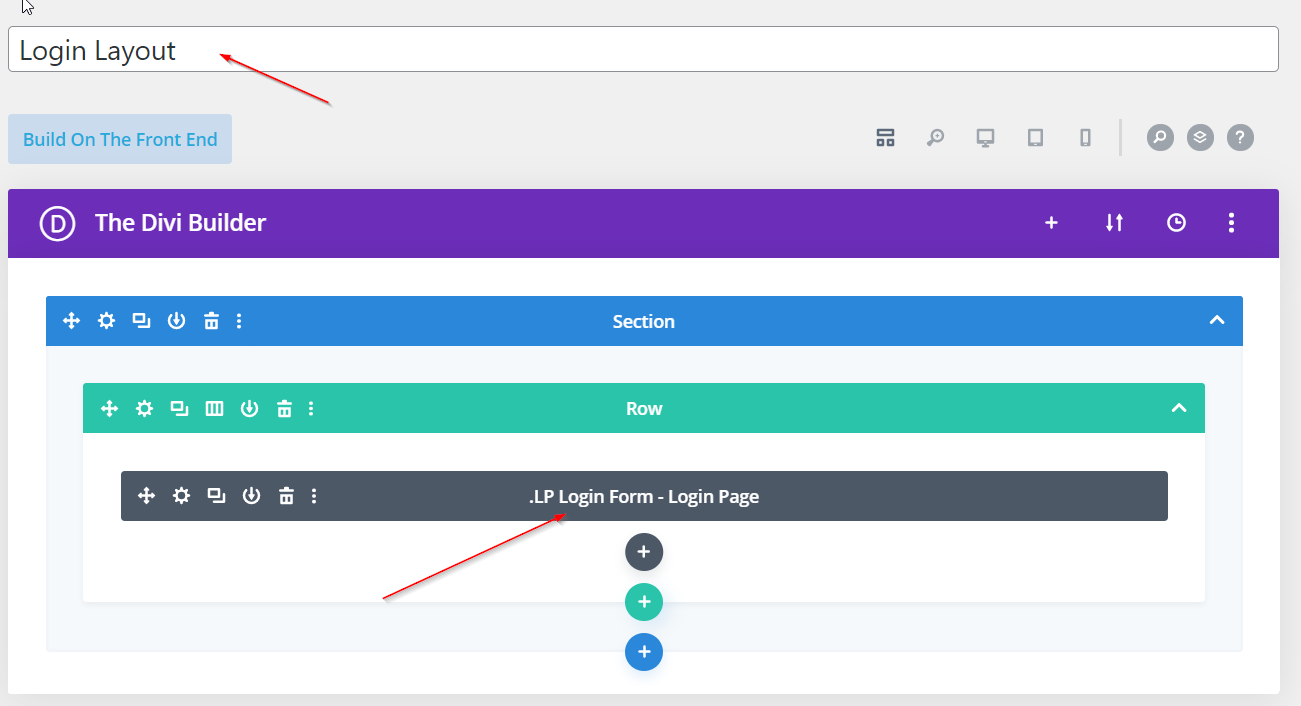
Step 1: Build A Login Form Page
Head over to Divi > Library and create a login page adding LP modules such as the LP Login Form module.
Step 2: Assign This Layout In BodyCommerce
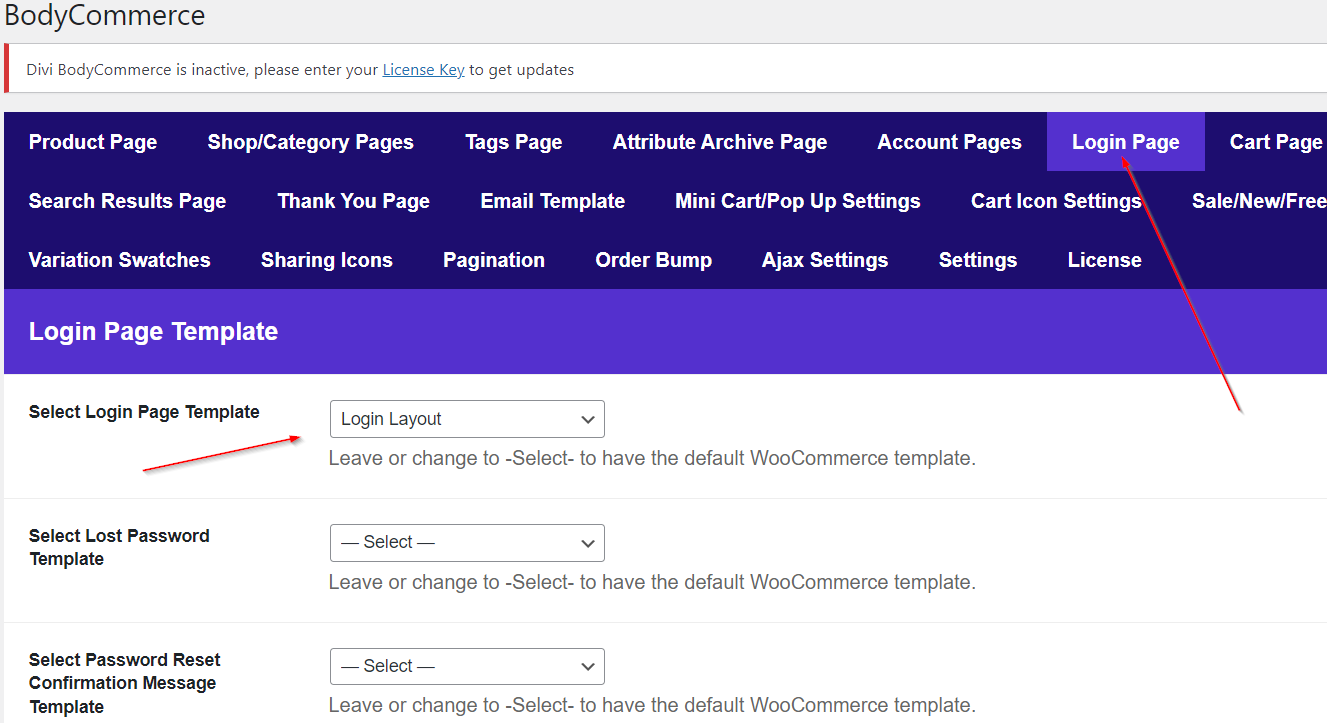
Go through to Divi Engine → Divi BodyCommerce → Account and assign this module in the Select Login Page Template.
Step 3: Edit The LP Login Form Module
Edit the Login Form module using the settings provided.