Posts With Specific Category/Categories
Introduction
Follow these steps to display a loop of a specific category or categories through the Archive Loop Module and Post Carousel Module.
Archive Loop Module
Step 1: Add Archive Loop Module
Add the Archive Loop module to your posts, pages, projects, Divi Library Layouts and/or Theme Builder Templates.

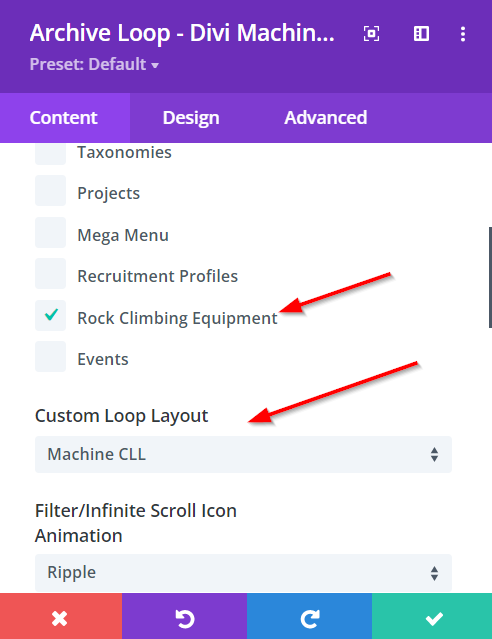
Step 2: Select The Post Type & Custom Loop Layout
Go to the Main Options, select the Post Type and Custom Loop Layout.
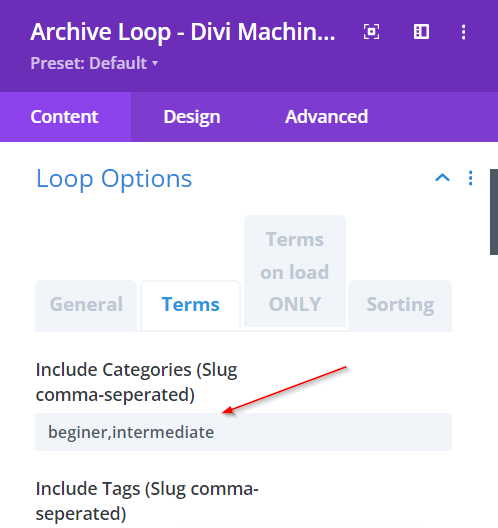
Step 3: Include Category/Categories
Inside the Loop Options add one or more URLs (separated by a comma) inside the Include Categories Slug field. This will remove all posts that are not part of this category or categories. Note that there must be NO spacing between the slug names.
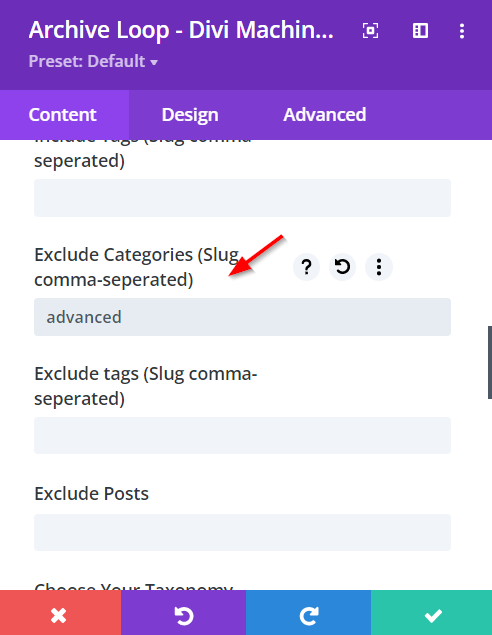
Step 4: Exclude Category/Categories
Inside the Loop Options add one or more URLs (separated by a comma) inside the Exclude Categories Slug field. This will remove all posts that are part of this category or categories.
Post Carousel Module
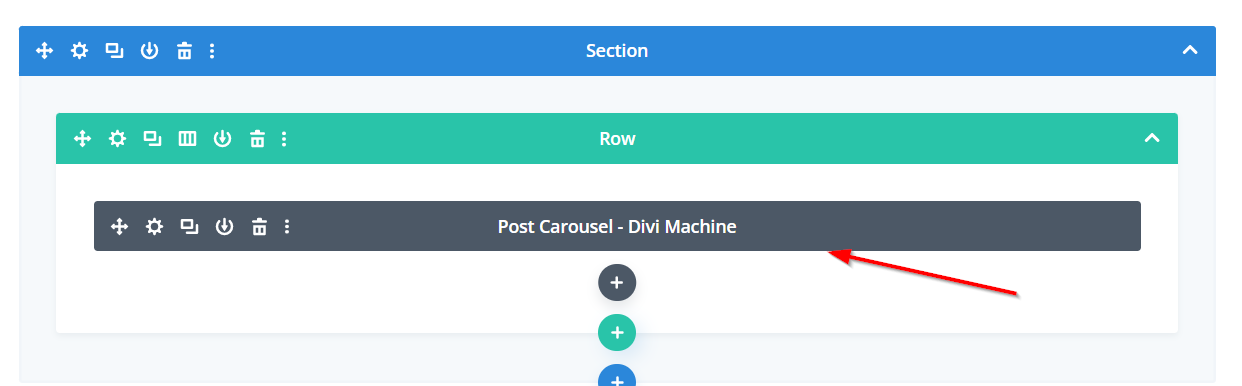
Step 1: Add Post Carousel Module
Add the Post Carousel Module to your posts, pages, projects, Divi Library Layouts and/or Theme Builder Templates.
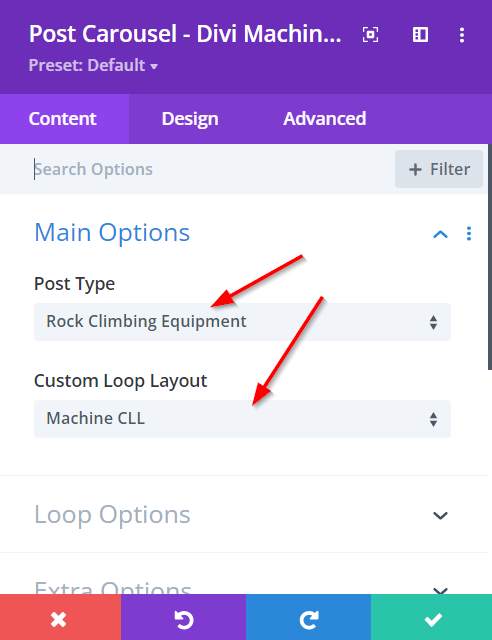
Step 2: Select The Post Type & Custom Loop Layout
Go to the Main Options, select the Post Type and Custom Loop Layout.
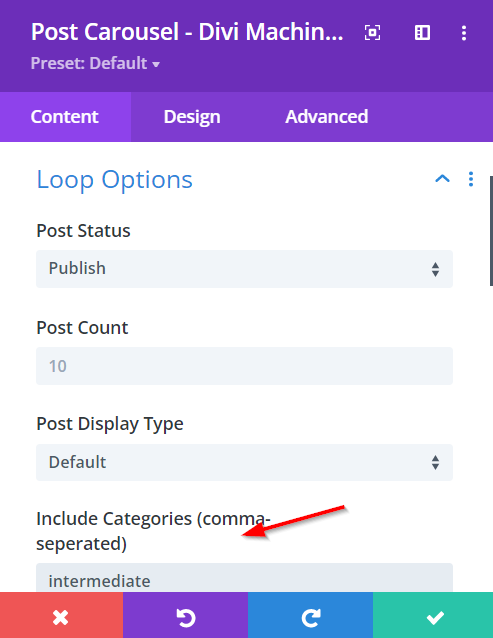
Step 3: Include Category/Categories
Inside the Loop Options add one or more URLs (separated by a comma) inside the Include Categories Slug field. This will remove all posts that are not part of this category or categories.