Content Design
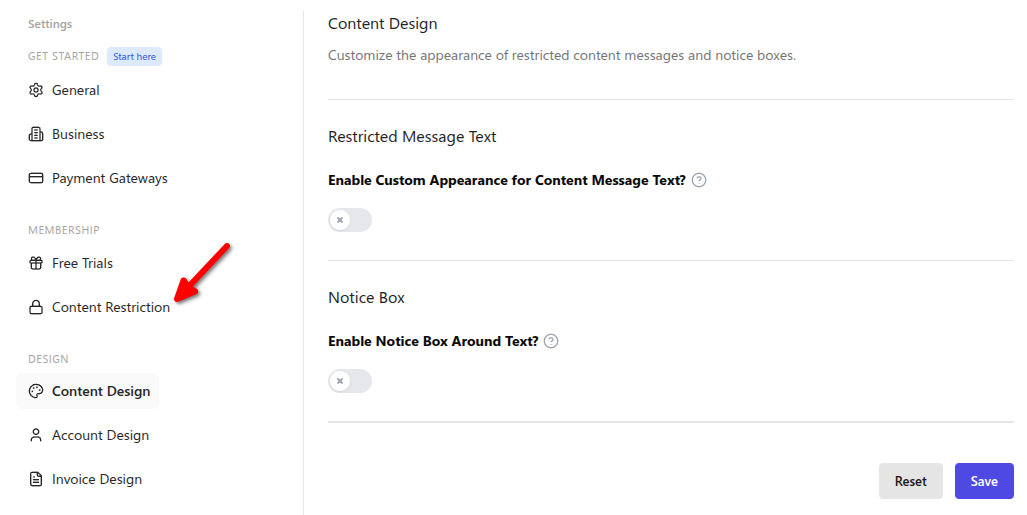
The Content Design tab is at WordPress Admin → Divi Engine → Divi Membership → Content Design. These settings control the appearance of restricted content messages and the notice box around them.
Content Design
| Setting | Type | Default | What it does |
|---|---|---|---|
| Enable Custom Appearance for Content Message Text? | Toggle | off | When on, the Restricted Message Text options below are applied. |
| Font Family | Select | — | Font for the message text (options from the plugin's font list). |
| Color | Color | #333333 | Message text color (hex). |
| Font Size | Number | — | Message text font size. |
| Font Weight | Select | normal | normal or bold. |
| Font Style | Select | normal | normal, italic, or oblique. |
| Text Align | Select | left | left, center, right, or justify. |
| Line Height | Text | — | Line height (e.g. px, em). |
| Letter Spacing | Text | — | Letter spacing. |
| Text Transform | Select | none | none, uppercase, lowercase, or capitalize. |
| Text Decoration | Select | none | none, underline, overline, or line-through. |
| Enable Notice Box Around Text? | Toggle | — | When on, the notice box styling options are applied. |
| Notice Box Background Color | Color | #f5f5f5 | Background of the notice box (hex). |
| Notice Box Border Style | Select | none | none, solid, dashed, dotted, etc. |
| Notice Box Border Color | Color | #e6e6e6 | Border color (hex). |
| Notice Box Border Width | Text | — | Border width. |
| Notice Box Border Radius | Text | — | Border radius. |
| Notice Box Padding | Text | — | Padding. |
| Notice Box Margin | Text | — | Margin. |
What's Next
- Content Restriction — Who can view content and what visitors see.
- Account Design — Navigation, tables, inputs, and buttons on the account page.
- Settings overview — Where to find each section.