Search Posts
Search Posts builds a search (and optional filter) form for a post type. Nested children are Filter Posts Item rows (Text Search and other filter types). Live search and Auto suggest options live on the Text Search child—not on this parent. See Live search and Filter Items.
Overview
Use Search Posts on headers, landing pages, or Theme Builder layouts. Pair results with a Theme Builder search results template that includes an Archive Loop. Configure which fields WordPress searches under Divi Engine → Machine Settings → Search.
How to use Search Posts
- Add Search Posts to the page or Theme Builder layout.
- Set Search Post Type under Main Settings.
- Add at least one child item for keyword search (Text Search).
- Optional: enable Live search (post results) and/or Auto suggest on that Text Search child.
- Style the button and fields under Design.
- Build a search-results template with Archive Loop and your custom loop layout.
Search Posts live search shows a dropdown only. To refresh a results grid while typing, use Filter Posts with an Archive Loop instead.
Parent settings
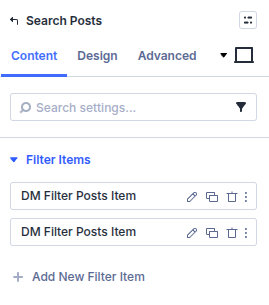
Filter Items
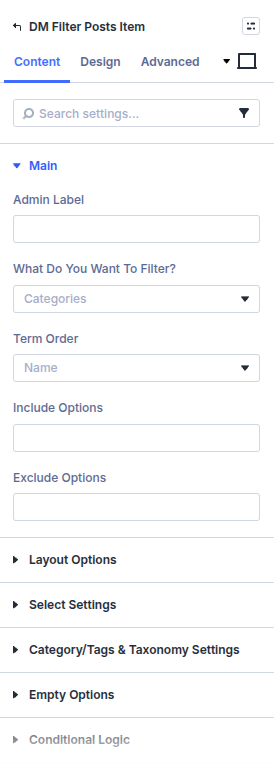
Add and reorder child filter/search rows. Each child uses the same Filter Posts Item settings as Ajax Filter (Text Search, taxonomy, custom field, and so on).
Main Settings
Search Post Type
Choose the post type visitors search. Align this with your Machine CPT and with the Archive Loop on the results template.
Search Button Text
Label on the submit button.
Make Button Inline?
Place the button on the same row as the fields when enabled.
Show Search Result in New Tab?
Open the results URL in a new browser tab.
Submit to Specific Page?
Control where the form submits: Post Archive Page, Search Result Page, or WordPress Auto Redirect.
Enable Select2 for Specific Select Options
Enhance select-style filter children with Select2. See Select2.
Design
- Design → Button — Set button alignment, background, typography, icon, and icon placement. Icon controls appear after Use Button Icon is enabled.
- Design → Fields — Set input background, text and focus colors, field typography, margin, and padding.
These parent settings style the overall search form. Type-specific controls for each child field are under that child's Design tab; see Filter Items. Standard Divi sizing, spacing, borders, and animation remain available.
Child: Text Search and live search
On the Text Search Filter Posts Item:
- Live search (post results) — Machine-only rich dropdown (Live search)
- Auto suggest — phrase suggestions (Auto suggest; index under Ajax Filter settings)
- Results panel template, pagination, and design groups appear when live search is on
Site-wide kill switches and theme search-form enhancement live under Machine Settings → Search.
Pitfalls and limits
- Parent module does not contain live search toggles—open the Text Search child.
- Without a results Theme Builder template (or archive), submit may land on an incomplete layout.
- Enable Use Divi Machine Search in Machine Search settings unless another search plugin should own queries.
What's Next
- Live search — Rich dropdown setup
- Search form — End-to-end search workflow
- Filter Items — Child field types
- Divi Machine Settings — Search scopes and live search switches