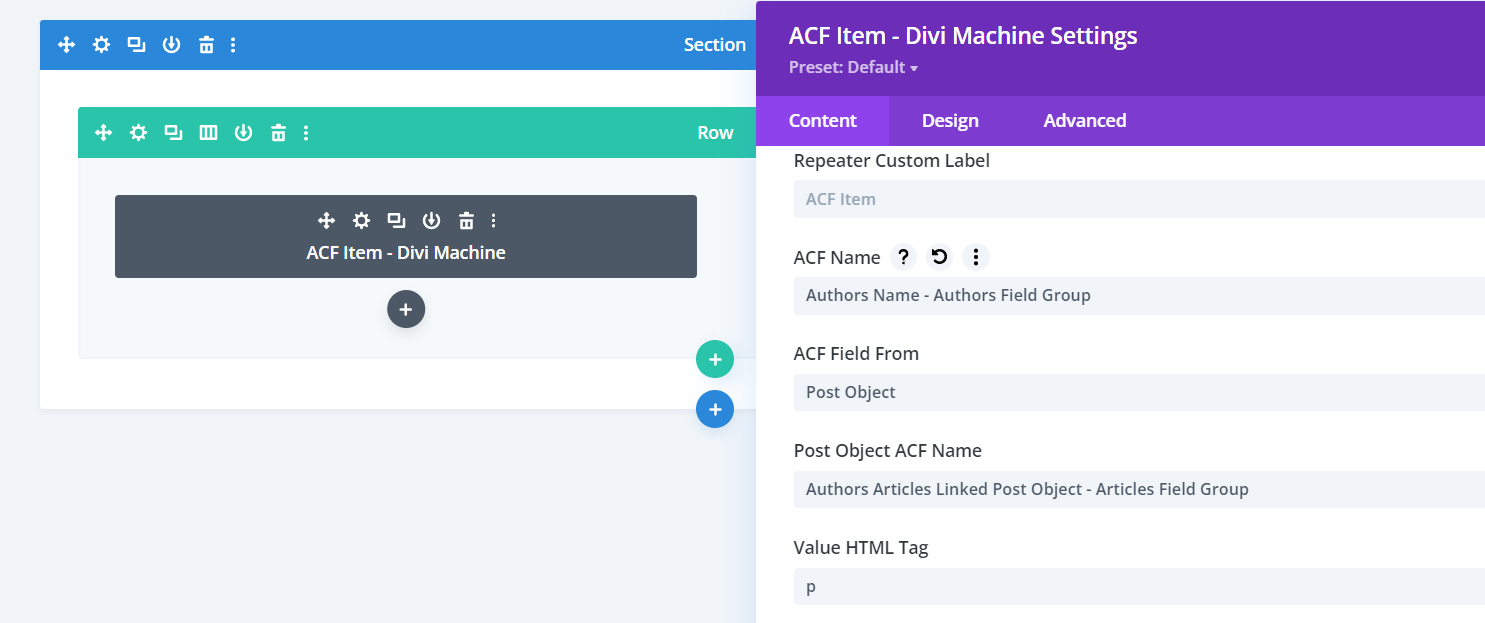
Access Post Object ACF Data Through ACF Item Module
Introduction
Follow these steps to learn how to display Post Object data through the ACF Item module. Note that in this example I have two Post Types, Articles and Authors and I want to show the Author of each Article on the Article "All" Theme Builder layout.
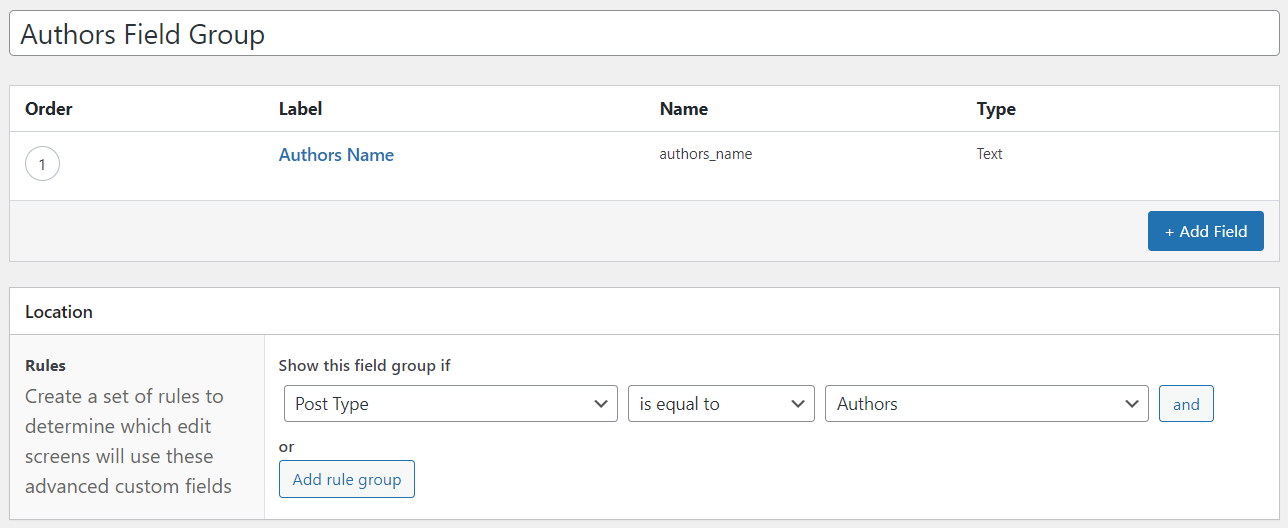
Step 1: Create A Field Group For One Post Type - Post Type One
- Create a new ACF Field Group for your first Post Type - Authors in this example.
- Add Fields.
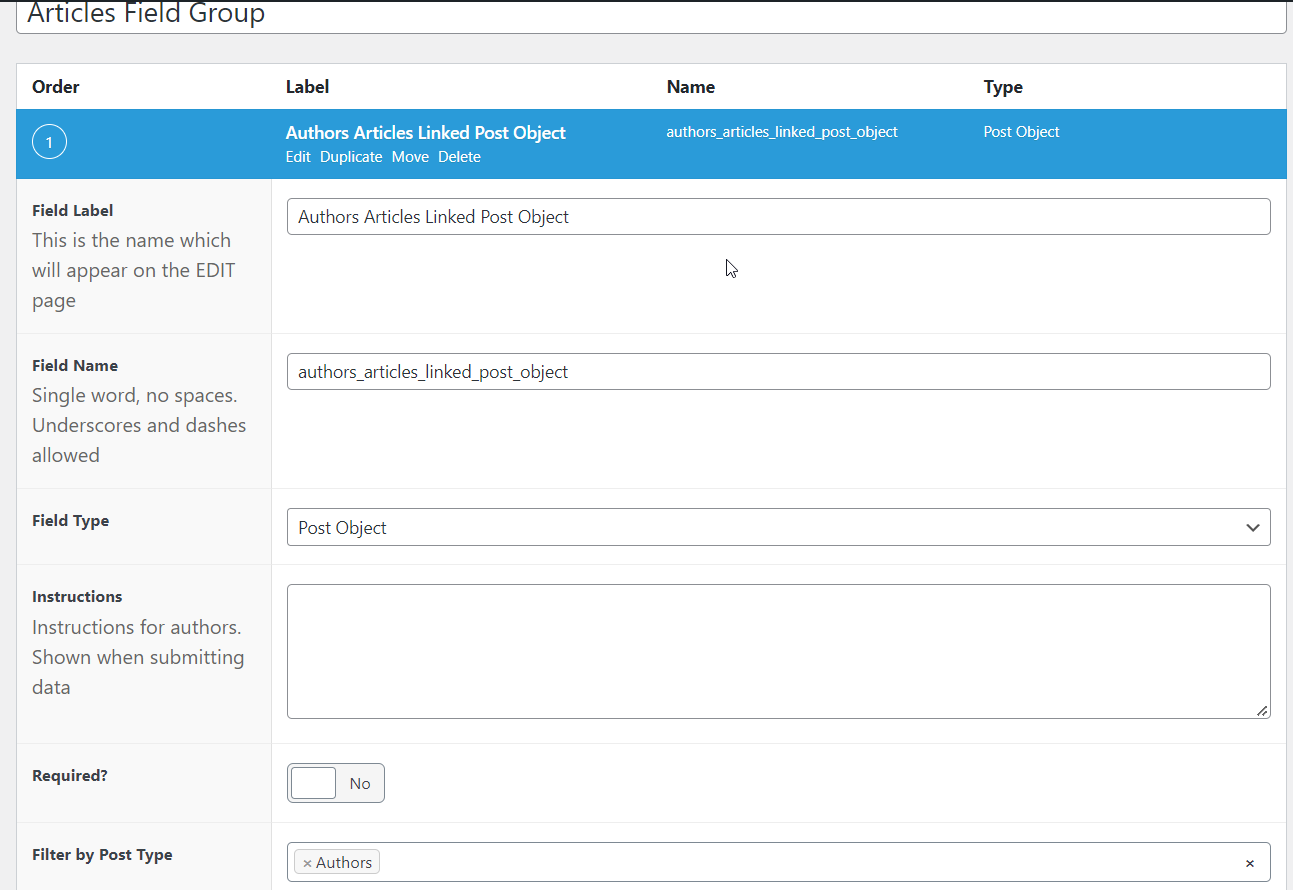
Step 2: Create A Field Group For A Second Post Type - Post Type Two
- Create a new ACF Field Group for your second Post Type - Articles in this example.
- Add a Post Object Field - this Field will link the two Post types.
- Select the first Post Type from the "Filter by Post Type" Section.
Step 3: Go To The Second Post Type & Select An Option
Head over to the post of Post Type Two - Articles in this example - and select an option from the Post Object Field that links Post Type Two with Post Type One.

Step 4: Add ACF Item Module To All Post Theme Builder Layout Of The Second Post type
Add the ACF Item module to the "All" post Theme Builder layout of your second Post Type above and define the following settings.
Content > Main Options
- ACF Name: Select the Post Type One field that you want to display - Authors Name for example.
- ACF Field From: Post Object.
- Field Taxonomy ACF Name: Select the Post Object field that links the two fields.