How To Add An ACF oEmbed Field To Your Posts
Introduction
Follow these steps to add an ACF oEmbed field to your posts.
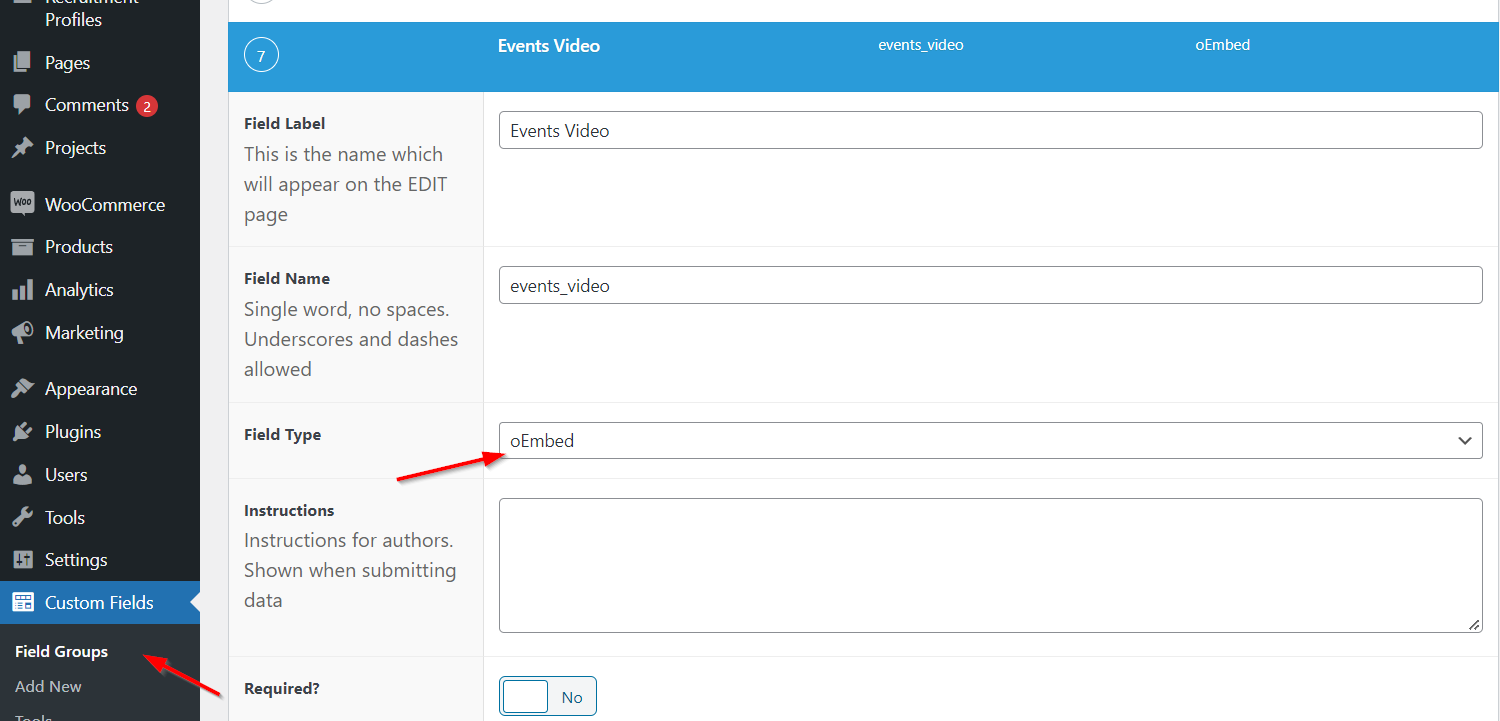
Step 1: Create ACF oEmbed Field
Add an ACF oEmbed field to a custom field group linked to a Post Type.
Step 2: Add A Single URL To Each Of Your Posts

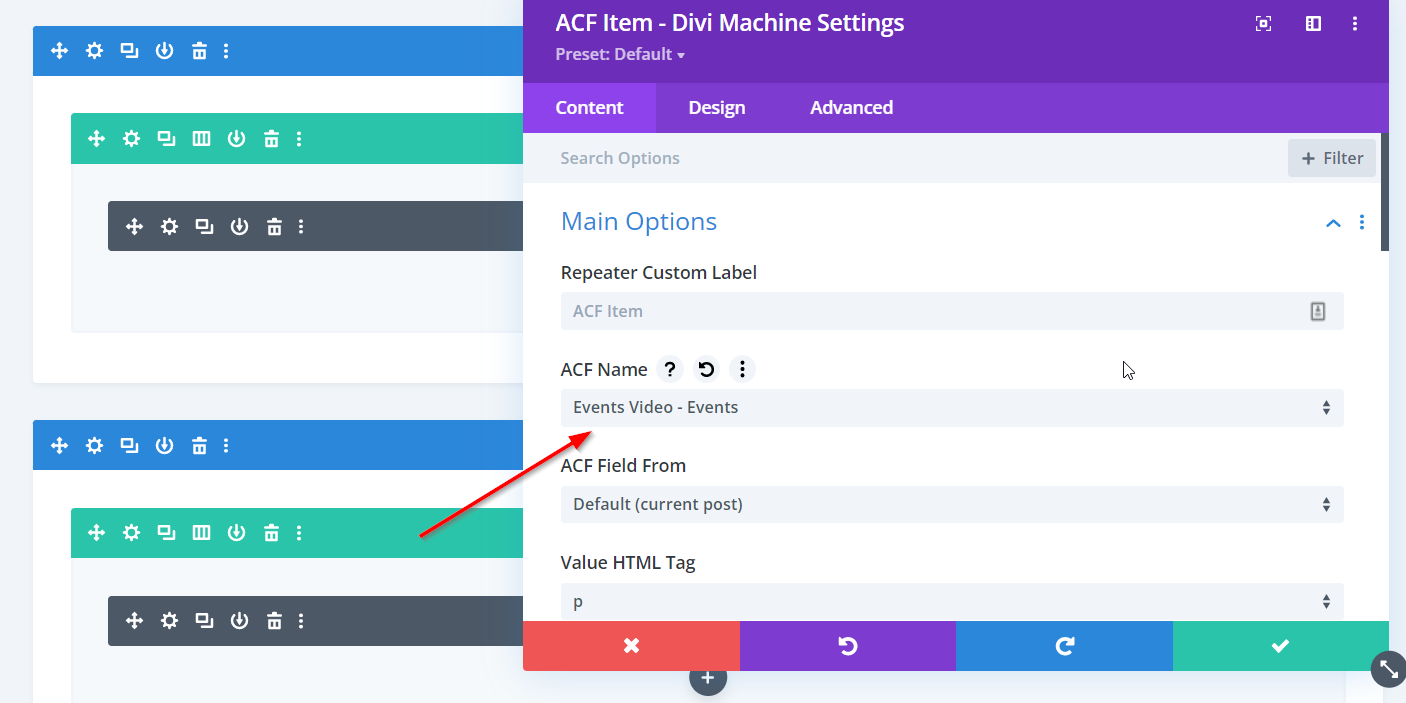
Step 3: Add ACF Item Module
Head over to your single posts template in the Divi Theme Builder and add an ACF Item module. Then select the oEmbed field created above.
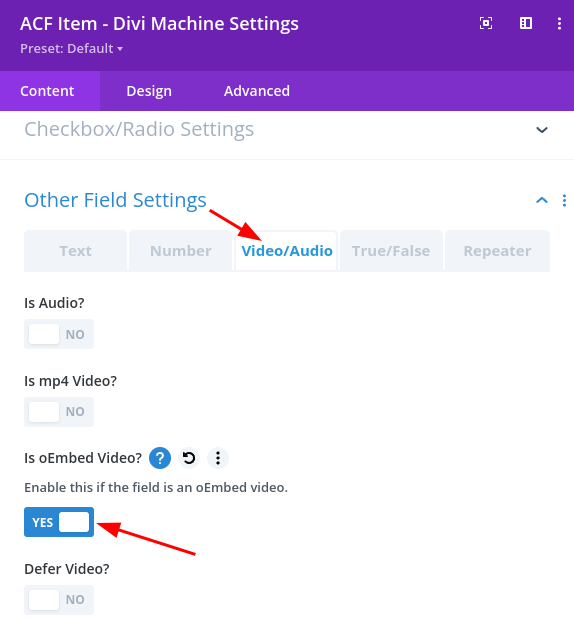
Step 4: Enable oEmbed Video
Go to the Video/Audio tab in the Other Field Settings section and enable Is oEmbed Video